E-Bike Parking & Charging Station
SKU: G2-SPXX2X-1.5Secure parking + e-bike charging
E-bike parking and charging station — lock your bike and charger together. Supports all e-bike brands, fire-safe 4h auto-cutoff, app and RFID access. Cloud managed.
- Supports all e-bike brands and charger types
- Bike and charger both secured while charging
- Optional app-activated socket with 4-hour cut-off
- Remote management from anywhere
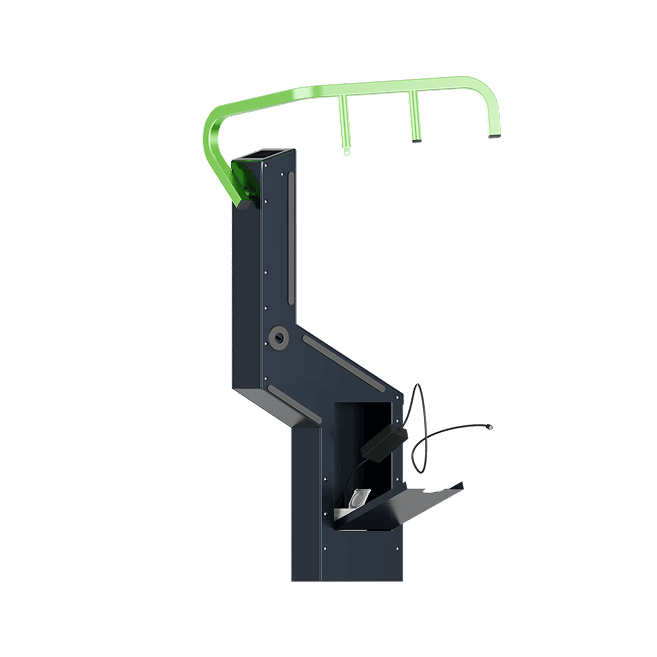
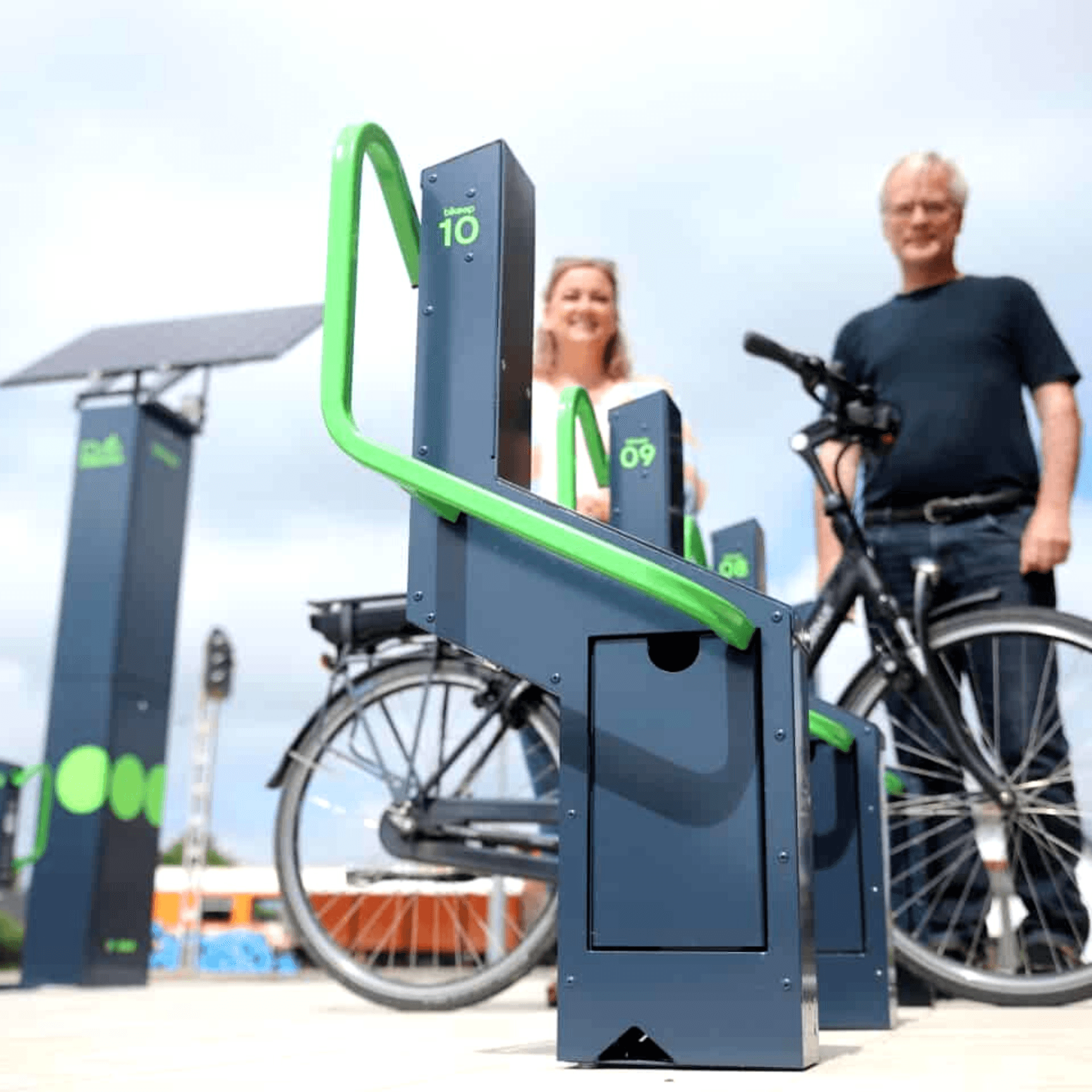
A Bikeep e-bike charging station is a smart bike rack where every dock has a power outlet inside a lockable box. Riders plug in their own charger, and the bike and charger stay locked while charging. An optional app-activated socket cuts power after four hours, which fire-safety teams prefer for unattended sites.
Charging Docks
5 to 10
Indicates how many e-bikes can be parked and charged simultaneously.
- Use Case
- E-bike Parking & Charging Station
- Connection
- Pre-installed 4G industrial SIM card
- Branding
- Re-color or custom branding
- Power
- 110/230VAC — grid power required
- Access Type
- Bikeep app, RFID/NFC cards
- Management
- console.bikeep.com — usage stats, access control
- Installation
- Electrician required — electrical cabinet install
- Upgrades
- Camera, App-activated charging socket, Metal ground plates

What It Does
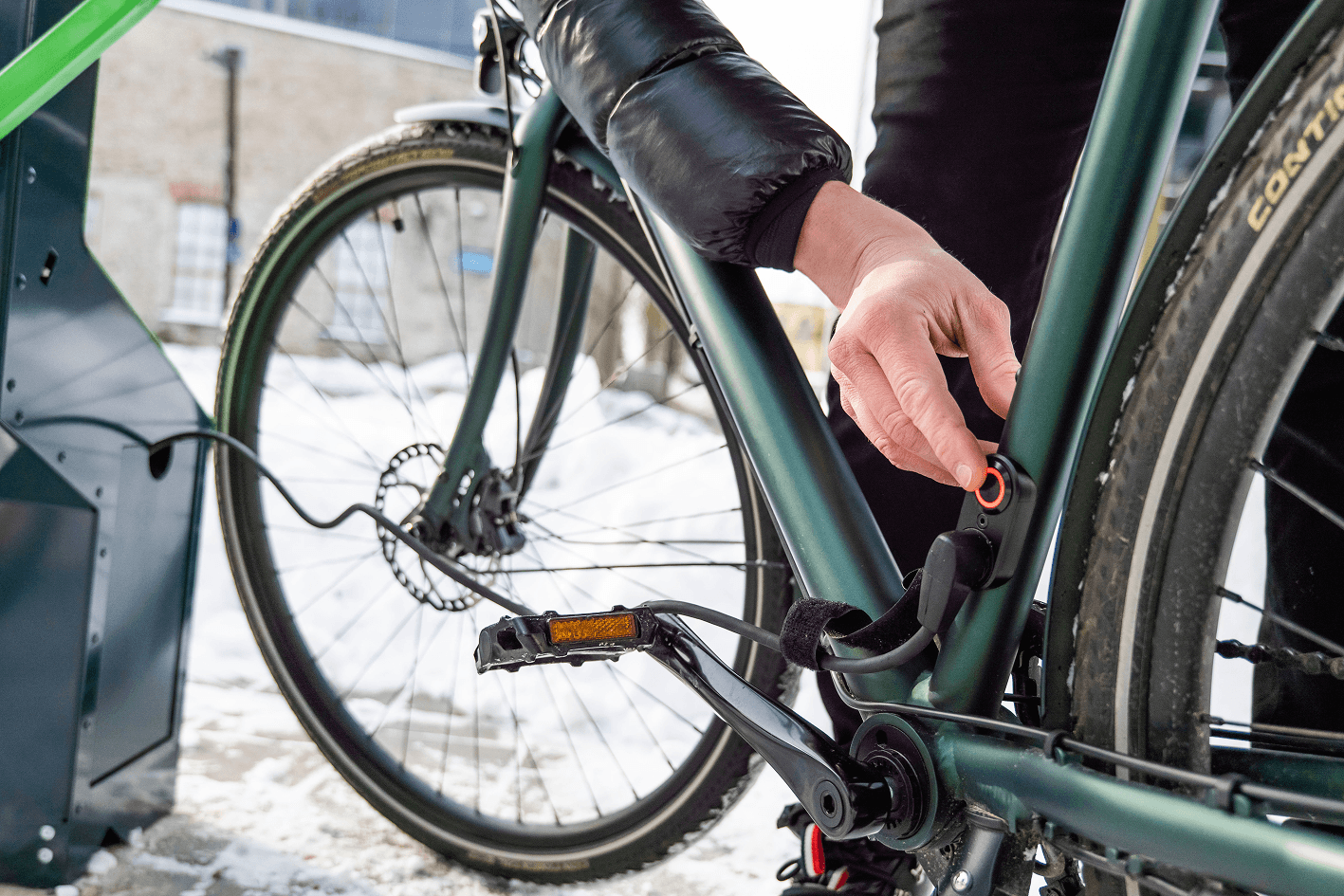
The E-bike Charging Station combines secure locking with integrated e-bike charging. Users bring their own charger, plug it into the dock, and both bike and charger are locked inside — secured while charging.
Unlike traditional charging stations with built-in chargers, Bikeep's bring-your-own-charger approach supports all e-bike brands and charger types. No compatibility issues, no adapter headaches.
Each station includes an electrical cabinet that manages power distribution and safety. With the optional App-Activated Charging Socket, each socket stays off until a rider switches it on in the Bikeep app and cuts power after 4 hours. We recommend it for unattended locations.
Power Consumption
Materials & Build
Standard Colors
Installation Guides
Technical Specifications
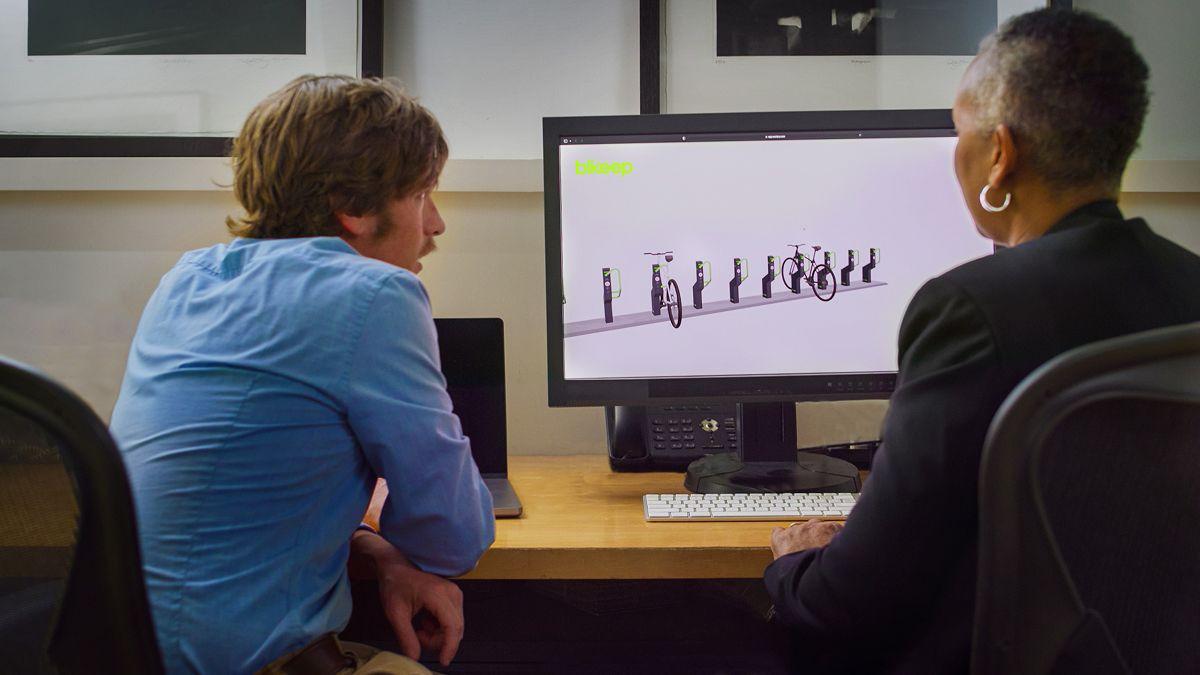
Layout planner
Plan it, see it in 3D, share it
Set the dock count to see the floor space it takes. Then open it in the planner to place it on your site plan and share the layout.

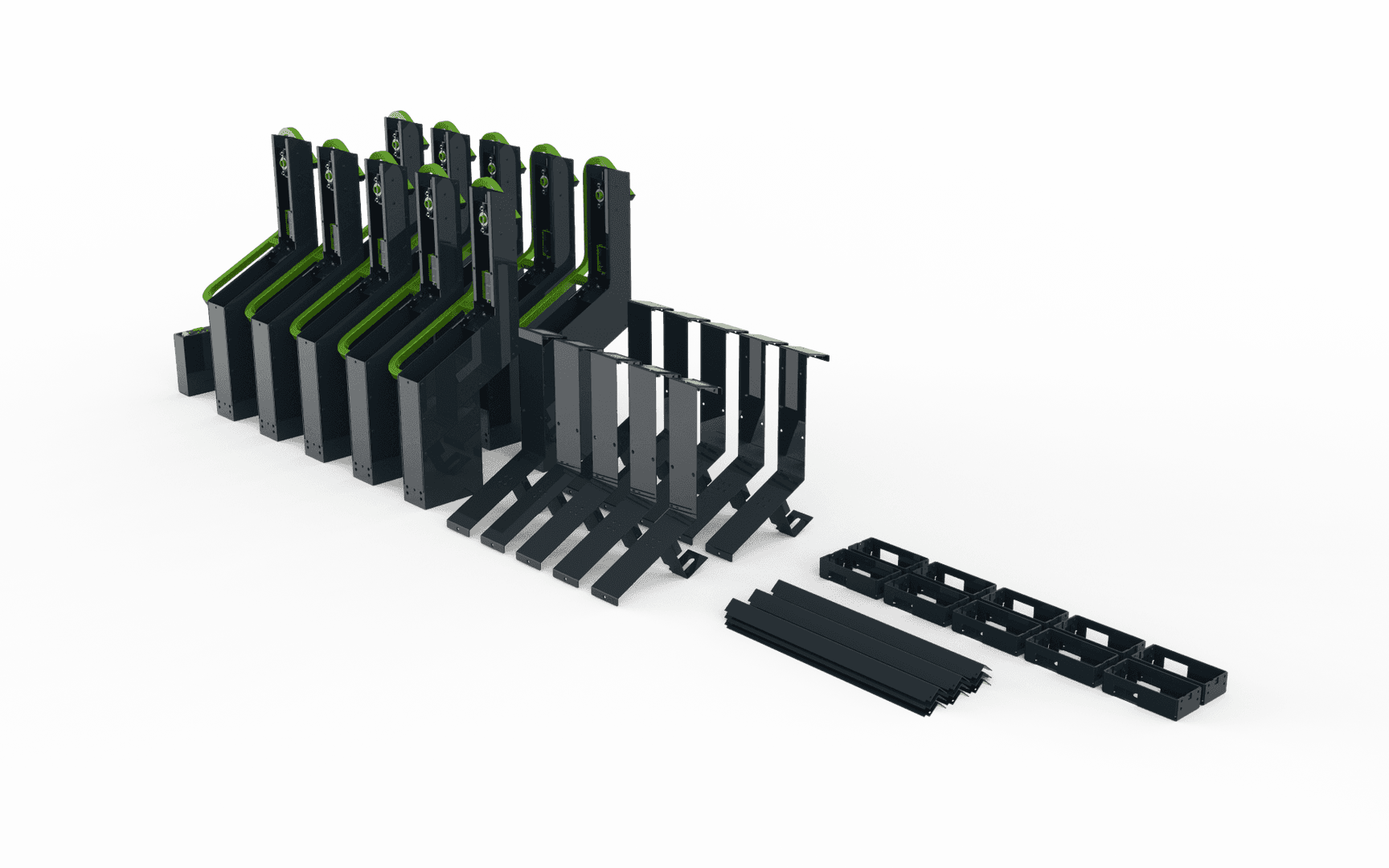
10 docks · 8.97 × 2.20 m (29 × 7 ft)
Station
Floor space per station
10 docks · 8.97 × 2.20 m (29 × 7 ft)
Main Features
Charge any e-bike — secure parking with integrated charging that works with every brand.
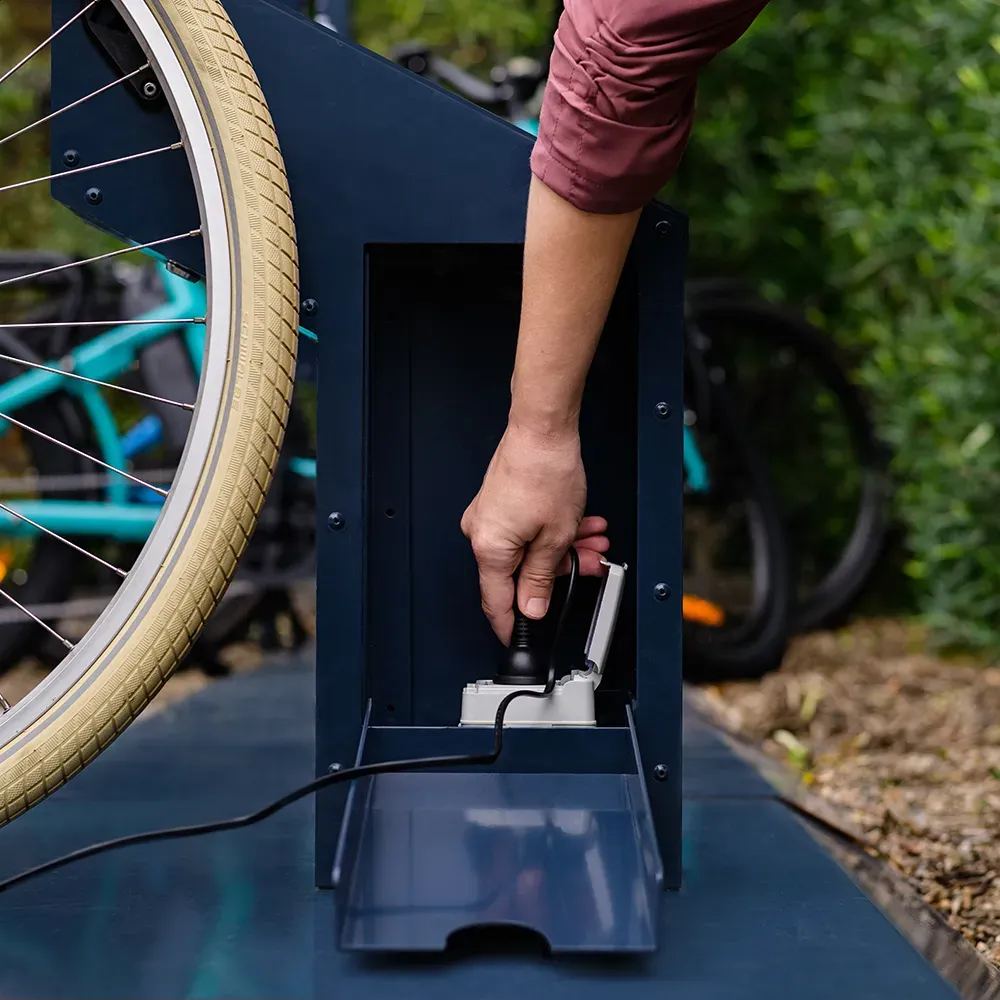
Bring Your Own Charger
Users plug in their own charger — supports all e-bike brands and charger types. No compatibility issues, no adapter headaches.
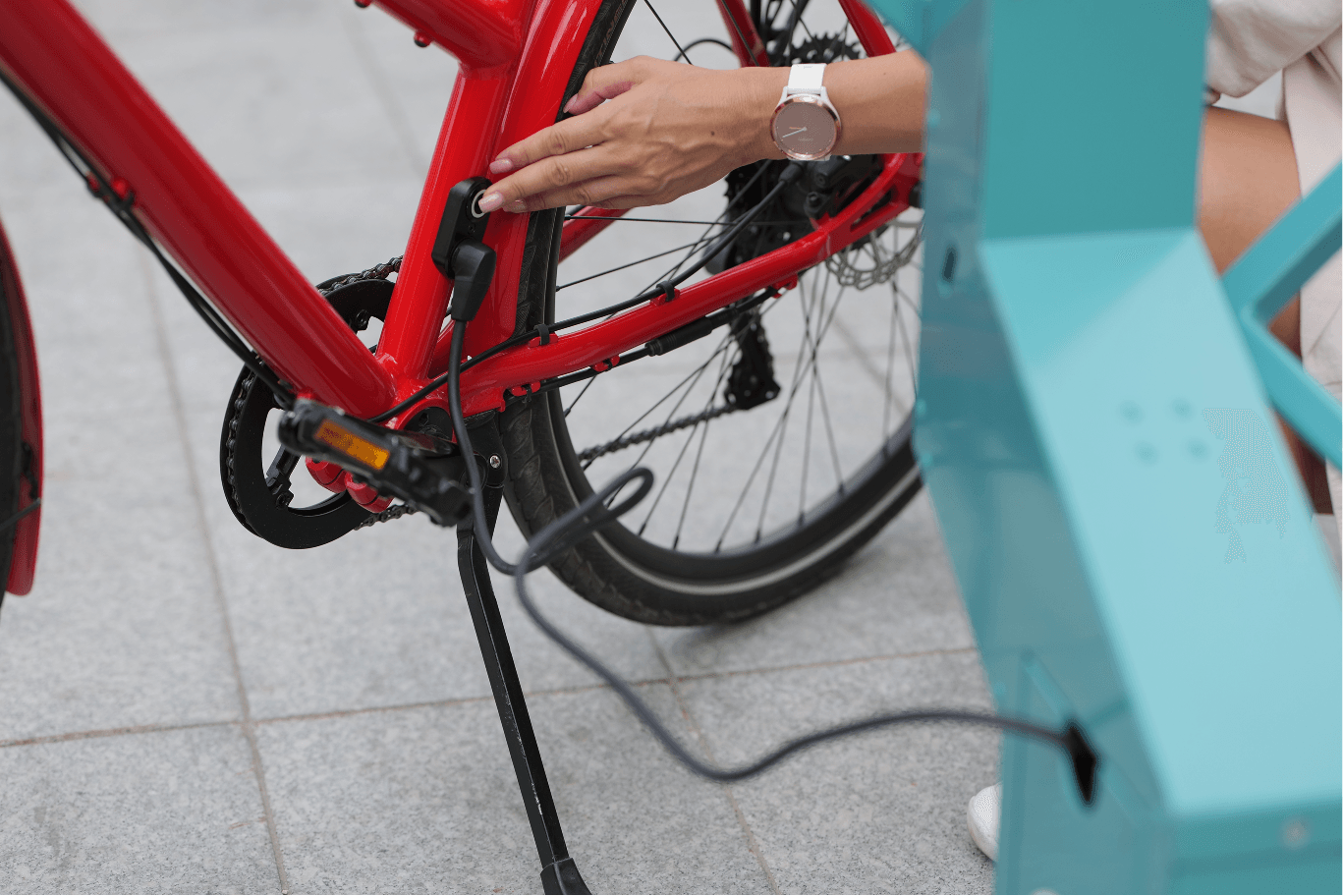
Dual Security Lock
The locking bar secures your bike frame while the charging compartment locks your charger inside. Both protected simultaneously.
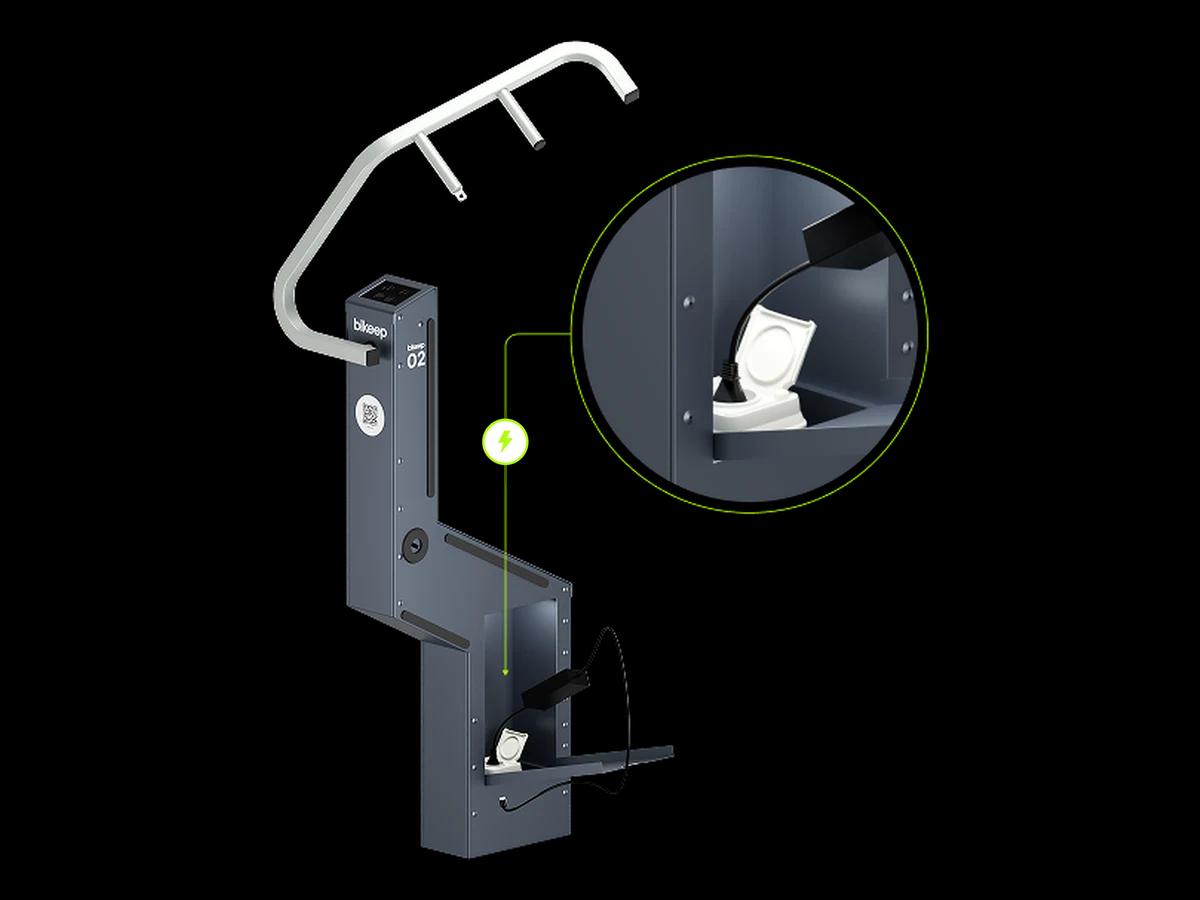
App-Activated Charging Socket
Optional add-on. The socket stays off until a rider switches it on in the Bikeep app, and it cuts power after 4 hours. Recommended for unattended and indoor locations.
See the add-onManaged Power Distribution
Built-in electrical cabinet manages power across all docks. One grid connection serves the entire station safely.
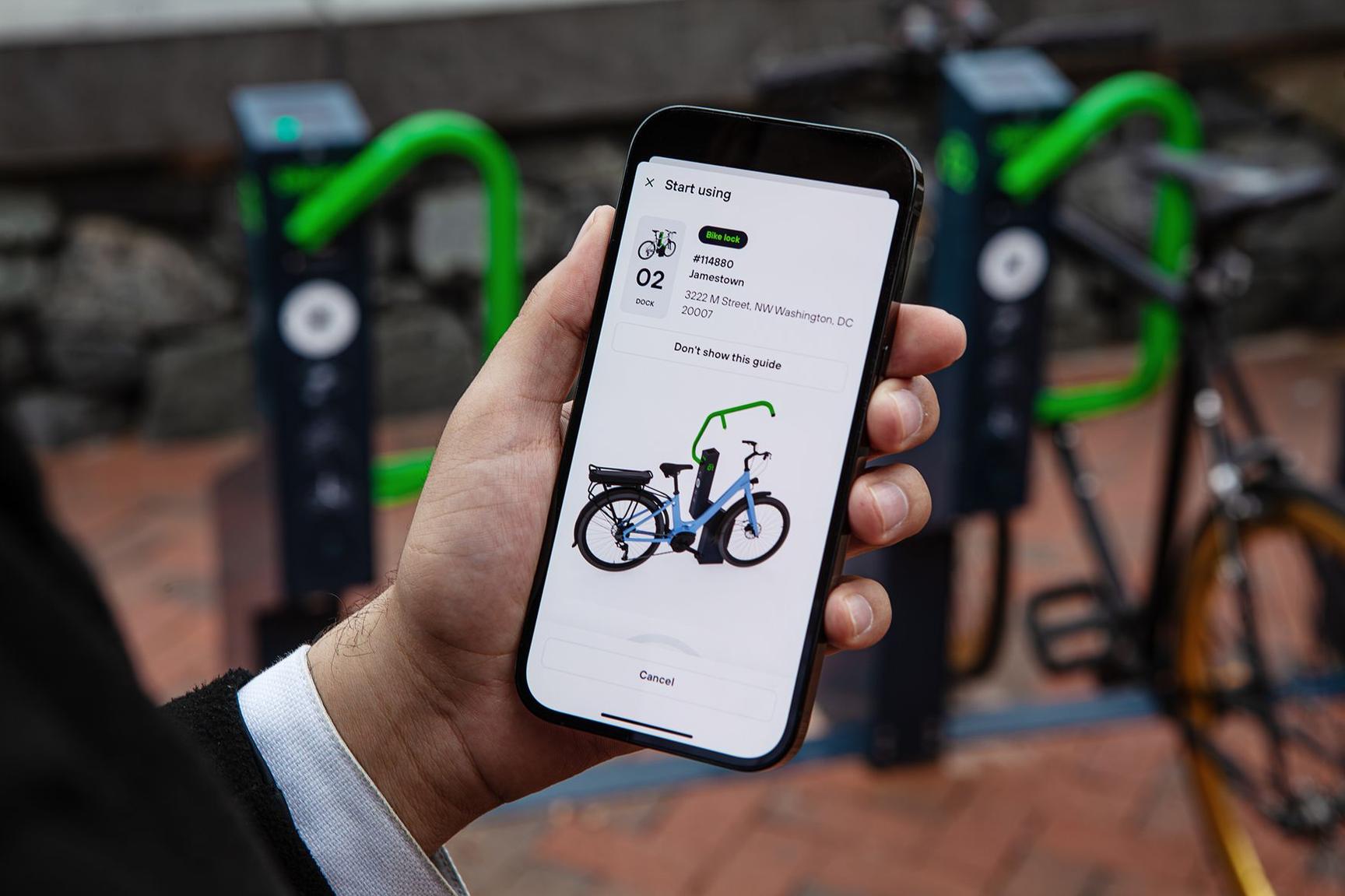
App & RFID Access
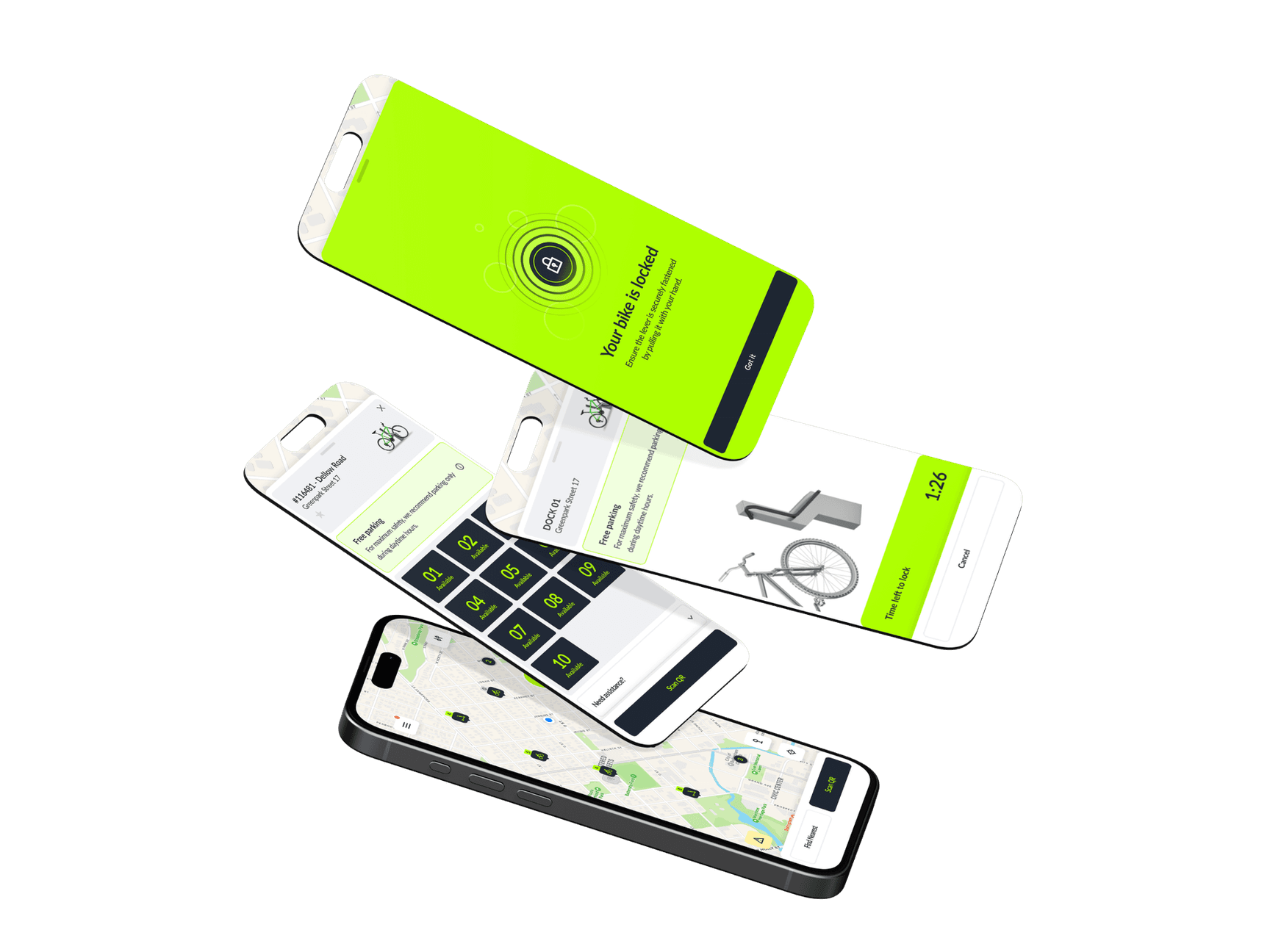
Authenticate with the free Bikeep app or any RFID/NFC card. Open dock, plug in, lock — done in seconds.
Remote Monitoring
Track power consumption, charging duration, and charging socket status across your network from console.bikeep.com.
Options
Add-ons for this station
Optional upgrades you can specify together with the station.
See all add-ons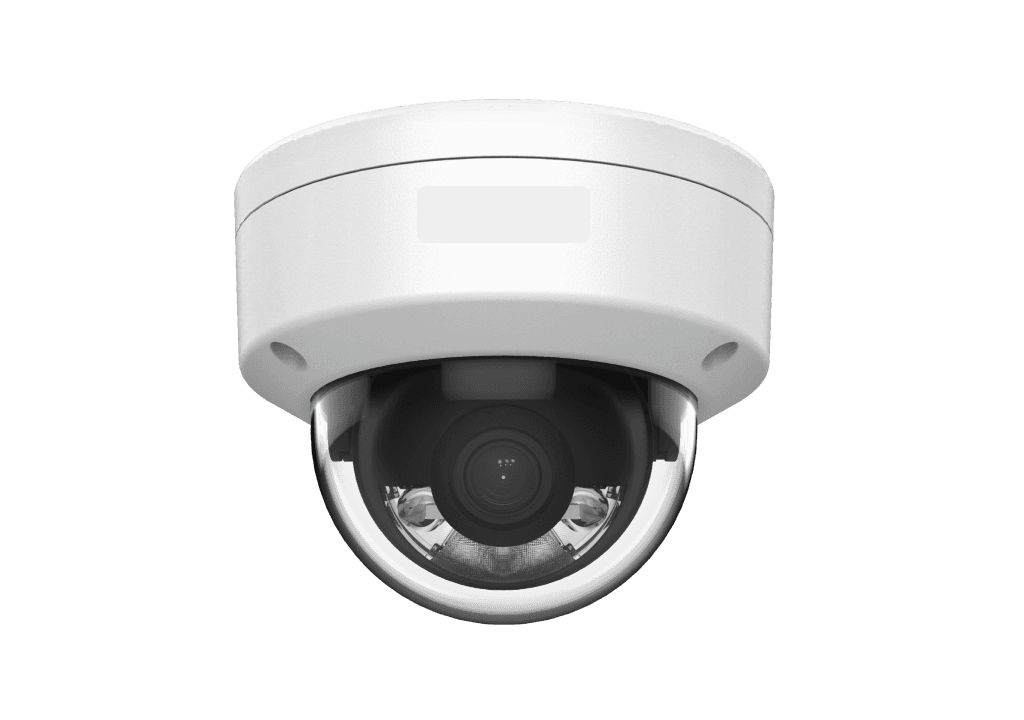
Smart add-on
Security Camera
Integrated camera for visual monitoring. It captures lock and unlock events automatically.
Smart add-on
App-Activated Charging Socket
The socket in each charging dock stays off until a rider switches it on in the Bikeep app, and it cuts power after 4 hours. Nothing charges overnight unattended.
Accessory
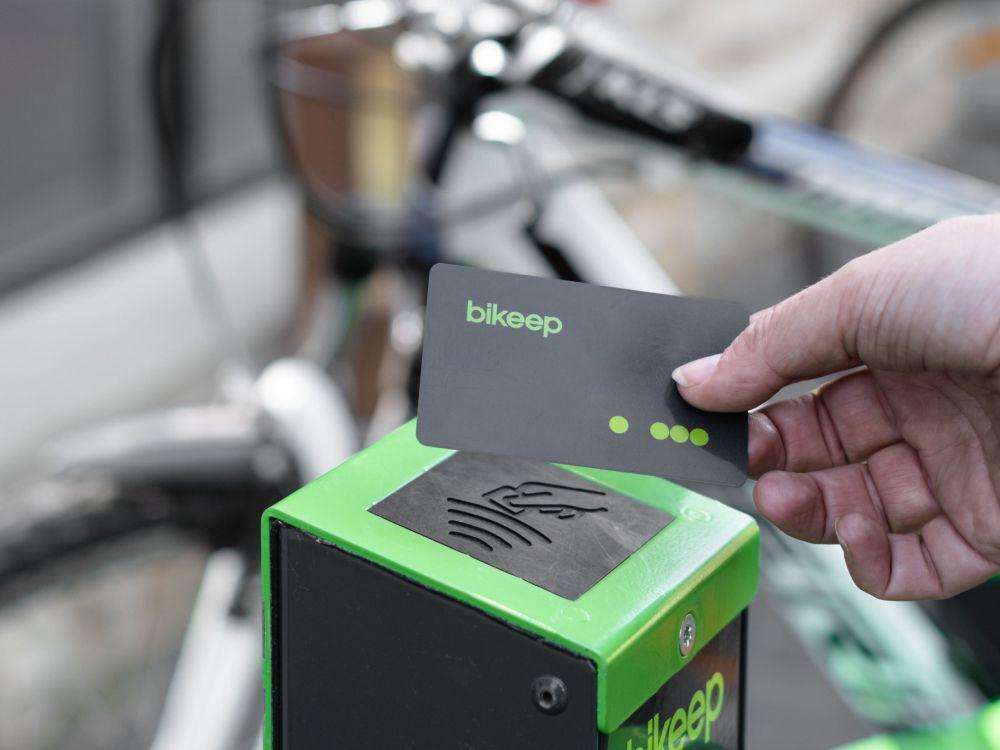
RFID / NFC Card Pack
Pre-programmed access cards for users without smartphones. Packs of 50 or 100.
Hardware add-on
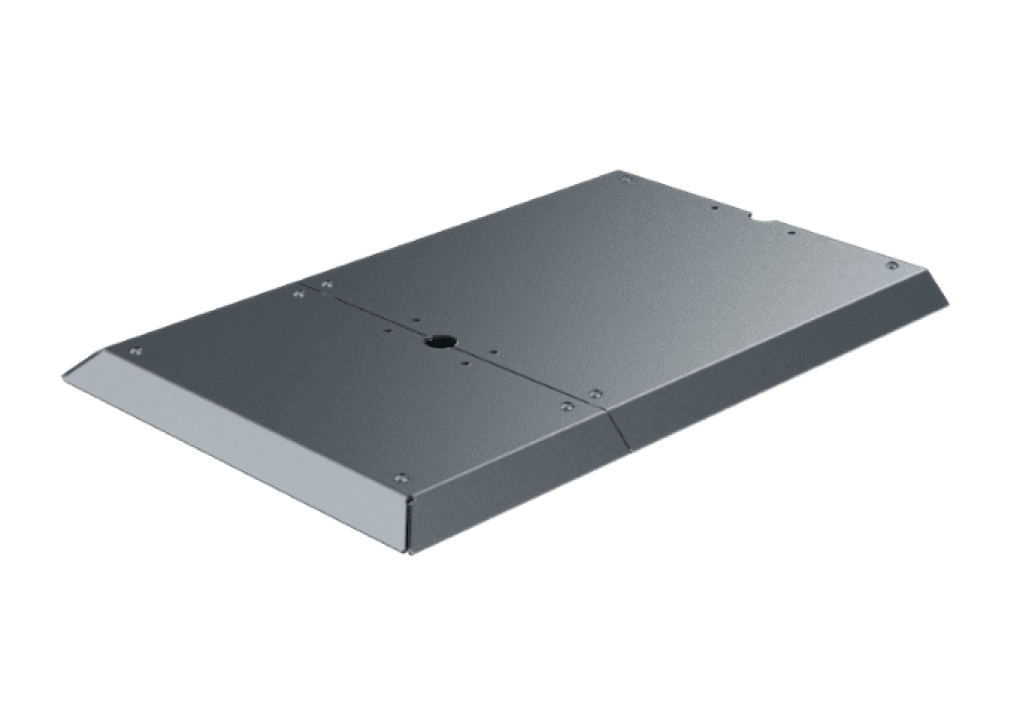
Metal Ground Plates
No drill install. Heavy-duty steel plates hold the station in place without drilling into the surface, so it can be moved later.
Which e-bikes does it work with?
Bikeep's bring-your-own-charger approach sidesteps the compatibility issues that plague built-in charger stations. Users plug in the charger that came with their bike — the one designed to charge it safely and at the right rate.
Is e-bike charging safe in buildings?
Every dock includes circuit protection. The optional App-Activated Charging Socket keeps each socket off until a rider switches it on in the app, and cuts power after 4 hours. We recommend it for parking garages, bike rooms, and unattended locations.
How much power does it need?
Each dock powers one e-bike charger, and a typical charger draws up to 300 W. Five docks charging at the same time add up to 1.5 kW, about as much as a hair dryer. On a 230 V supply that is 6.5 A, and on 110 V it is 14 A. A 10-dock station doubles this. The whole station runs from one single-phase connection, which your electrician sizes for this maximum. In daily use the load is lower, because chargers slow down as batteries fill and riders arrive at different times.
Talk to us about your site
- 10 000+
- DEVICES IN OPERATION
- 30+
- COUNTRIES
- 2012
- FOUNDED
How It Works
Park, charge, and go — in three simple steps
- 01
Open dock and plug in your charger
Scan the QR code or tap your RFID card. The dock opens — plug your own e-bike charger into the outlet and connect it to your bike.
- 02
Lock bike and charger
Close the locking bar — it secures your bike frame and locks the charging compartment. Both bike and charger are protected while charging.
- 03
Unlock and ride
When you're ready, authenticate again to open the dock. Grab your bike and charger — fully charged and ready to go.
- 01
Access cloud dashboard
Log in to the Bikeep Console to see every station, dock, and charging session in real time.
- 02
Monitor charging and usage
Track power consumption, charging duration, and charging socket status across your network.
- 03
Manage users and access
Set stations to public or private. Add users by phone number, NFC card, or shared access code.

- 01
Get a tailored proposal
Tell us your site details and charging needs. We'll recommend the right station size, dock count, and power configuration.
- 02
Simple electrical setup
Your electrician connects the electrical cabinet to your building's power supply. The station is ready to use once connected.
- 03
Ongoing support
Dedicated account management, 24/7 technical support, and over-the-air firmware updates.