App-Activated Charging Socket. Power only while a rider charges.
An optional add-on for Bikeep Smart Stations with e-bike or e-scooter charging. The socket inside each dock stays off until a rider switches it on in the Bikeep app, and it switches itself off 4 hours later.
Nothing charges unattended overnight, and nobody without a parking session at the dock can use the socket.
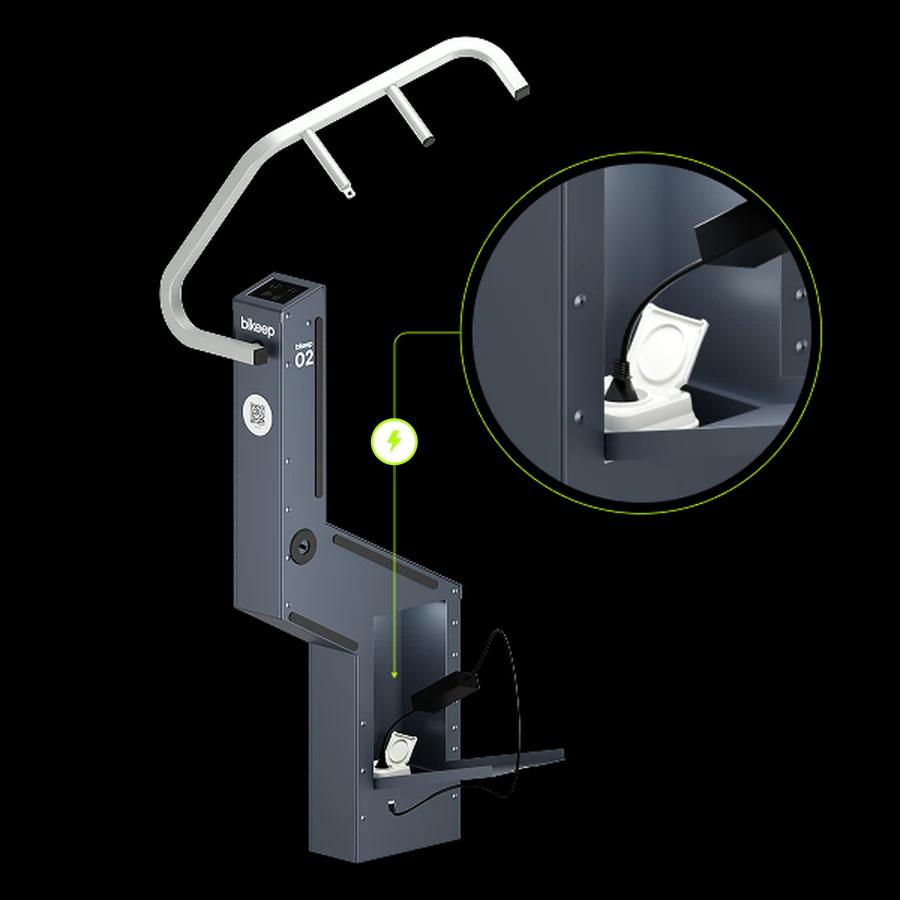
An always-on socket charges for anyone, all night
A standard charging dock keeps its socket powered around the clock. That is simple, and it leaves two questions open for whoever runs the site.
Standard charging dock
Socket always on
- The socket has power day and night.
- A charger left plugged in keeps drawing power overnight with nobody near it.
- Anyone can use the socket, with or without a parking session.
With the add-on
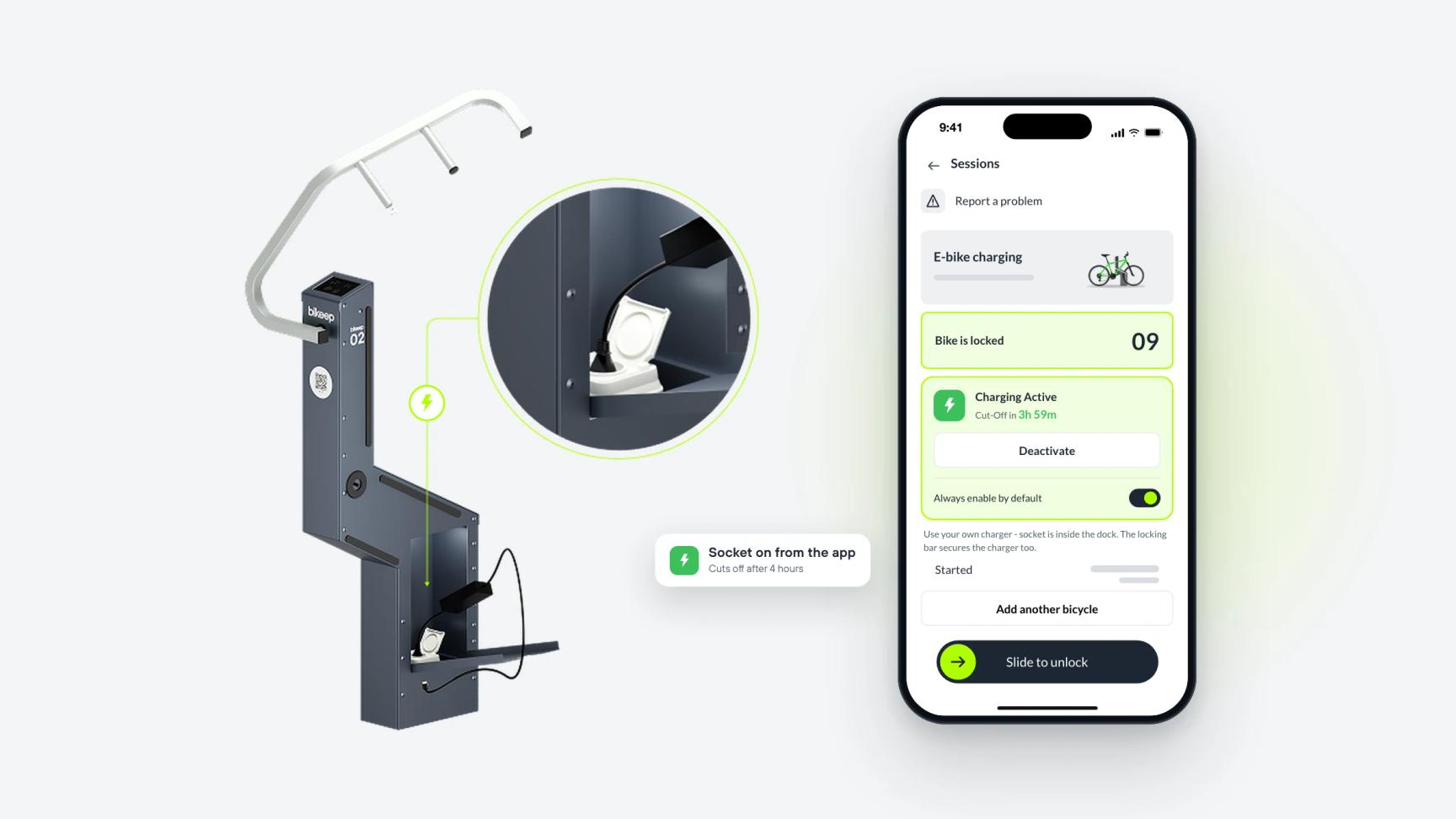
Socket on from the app
- The socket stays off until a rider switches it on in the Bikeep app.
- Power cuts 4 hours after switch-on, and as soon as the rider unlocks.
- Only the rider with an active session at that dock can power its socket.
Try it
Charge an e-bike the way a rider does
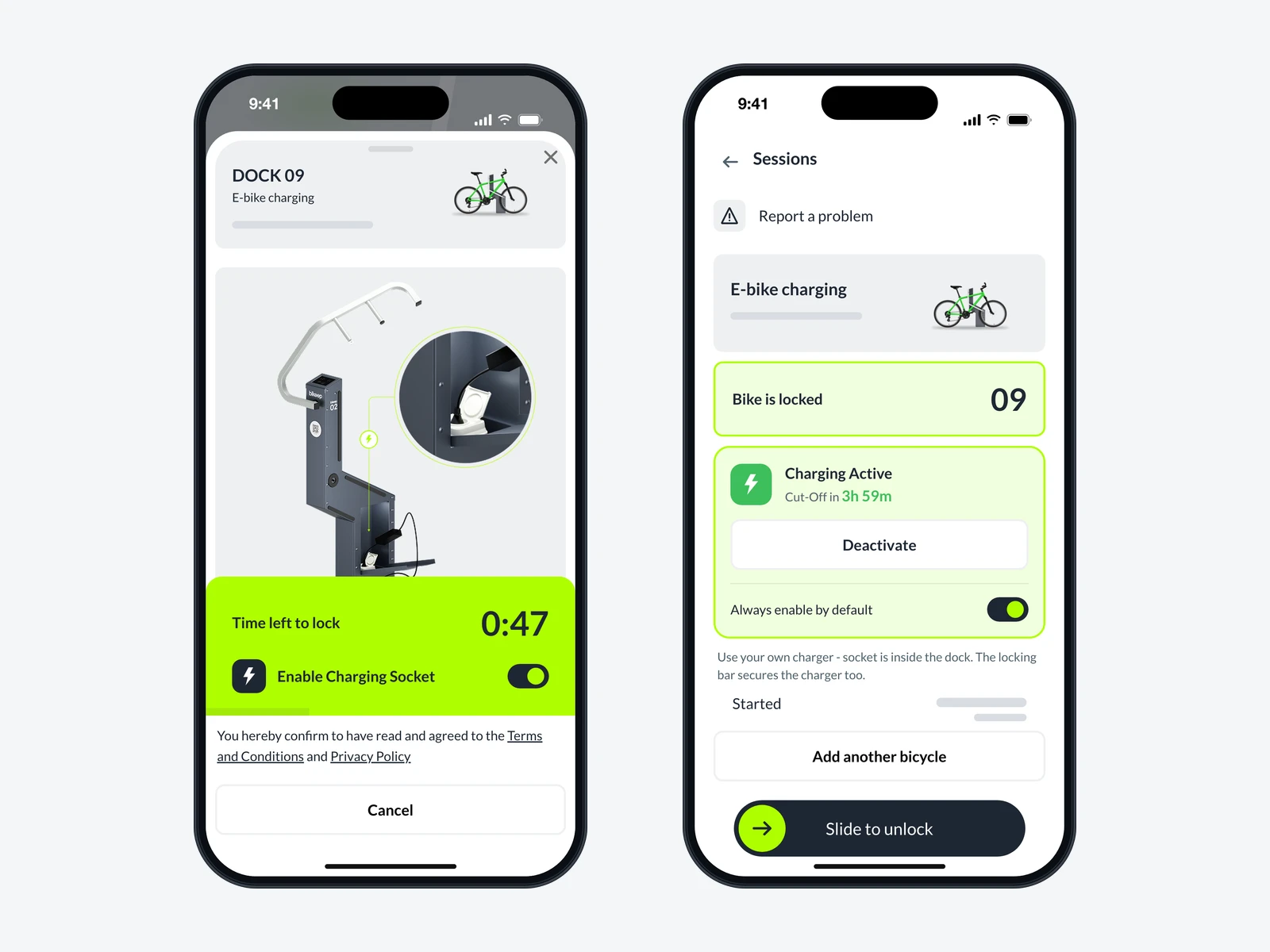
Tap through the Bikeep app on the phone. The dock beside it shows when its socket has power.
Scan the device QR code
Dock 09
Scan the QR code on the dock
The rider opens the Bikeep app and points the camera at the dock. The scan starts the session. The socket has no power yet.
How riders charge, in five steps
Scan the QR code on the dock
The rider opens the Bikeep app and scans the QR code on the dock. The session starts and the lock timer runs.
Switch on the socket
Turn on Enable Charging Socket while the timer runs, then lock the bike.
Plug in the charger
The socket is inside the dock. Riders bring their own charger, and the locking bar secures it with the bike.
Charging is on
Sessions shows Charging Active and the time until cut-off. A rider who missed the switch taps Activate there.
Slide to unlock
The socket switches off when the rider unlocks, or by itself after 4 hours.
Regular riders turn on Always enable by default, and the socket switches on at every start.
The socket cuts power after 4 hours
The add-on turns each dock into a timed e-bike charging socket. Every charge has a limit, and none of it depends on the rider remembering to unplug. The socket switches itself off in three cases.
What your team sees in Bikeep Console
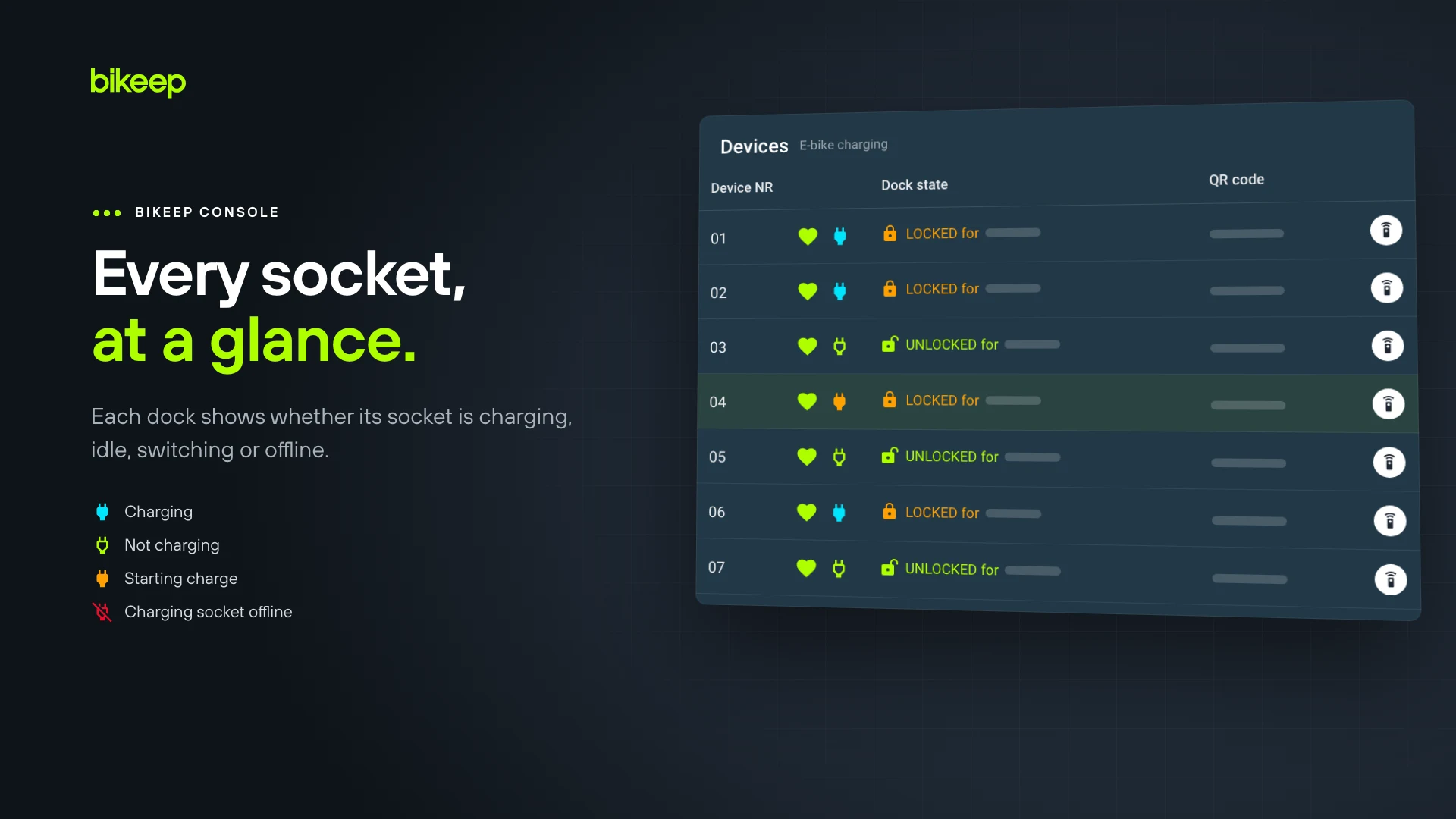
Every socket reports to Bikeep Console, so your team checks charging from a desk instead of walking the station.
Status of every socket
Each dock row has a plug icon that reads Charging, Not charging, Starting charge or Stopping charge, with how long the socket has been in that state.
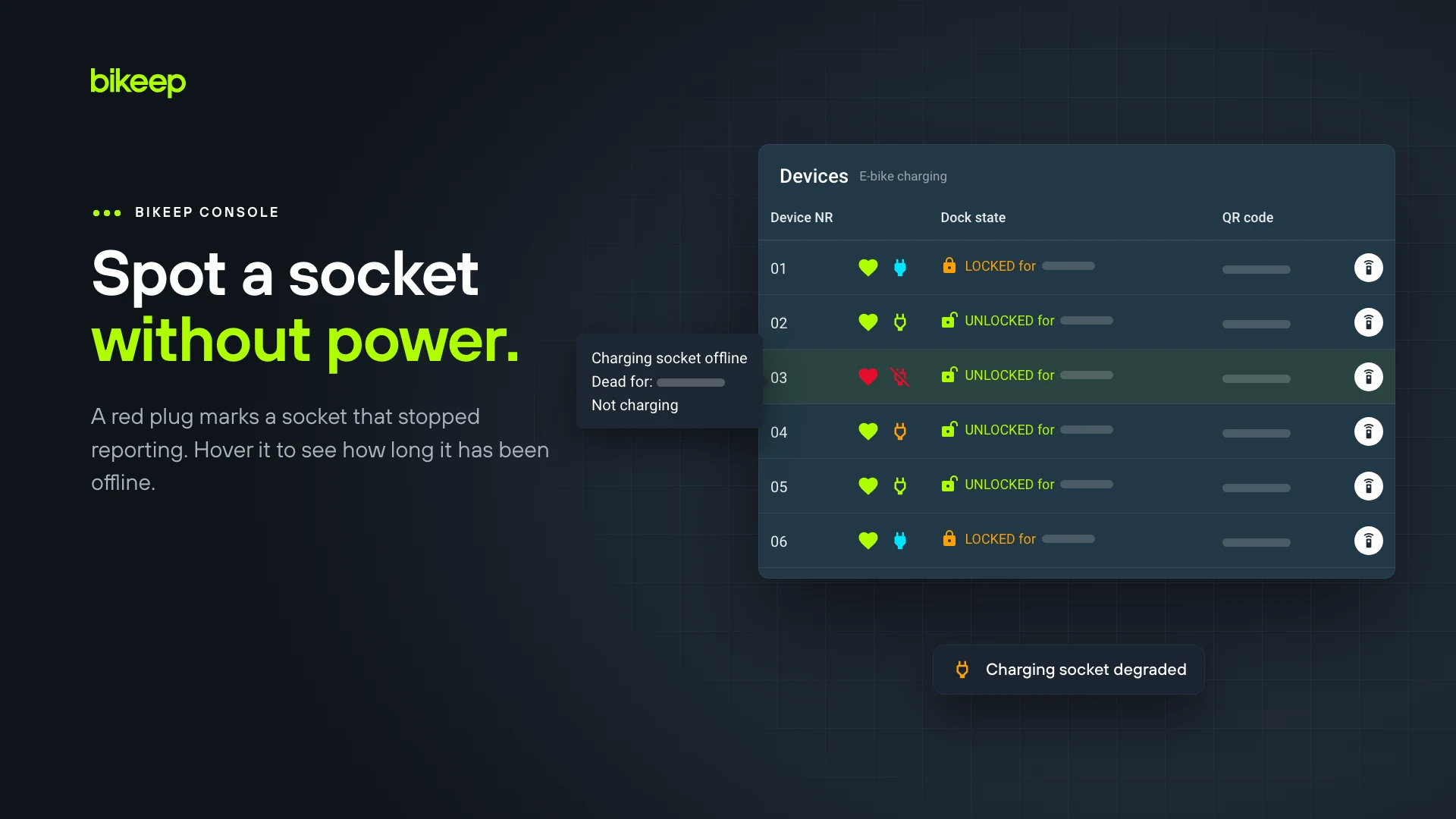
Offline sockets flagged
A socket that stops responding turns red as Charging socket offline, with the time since it went offline.
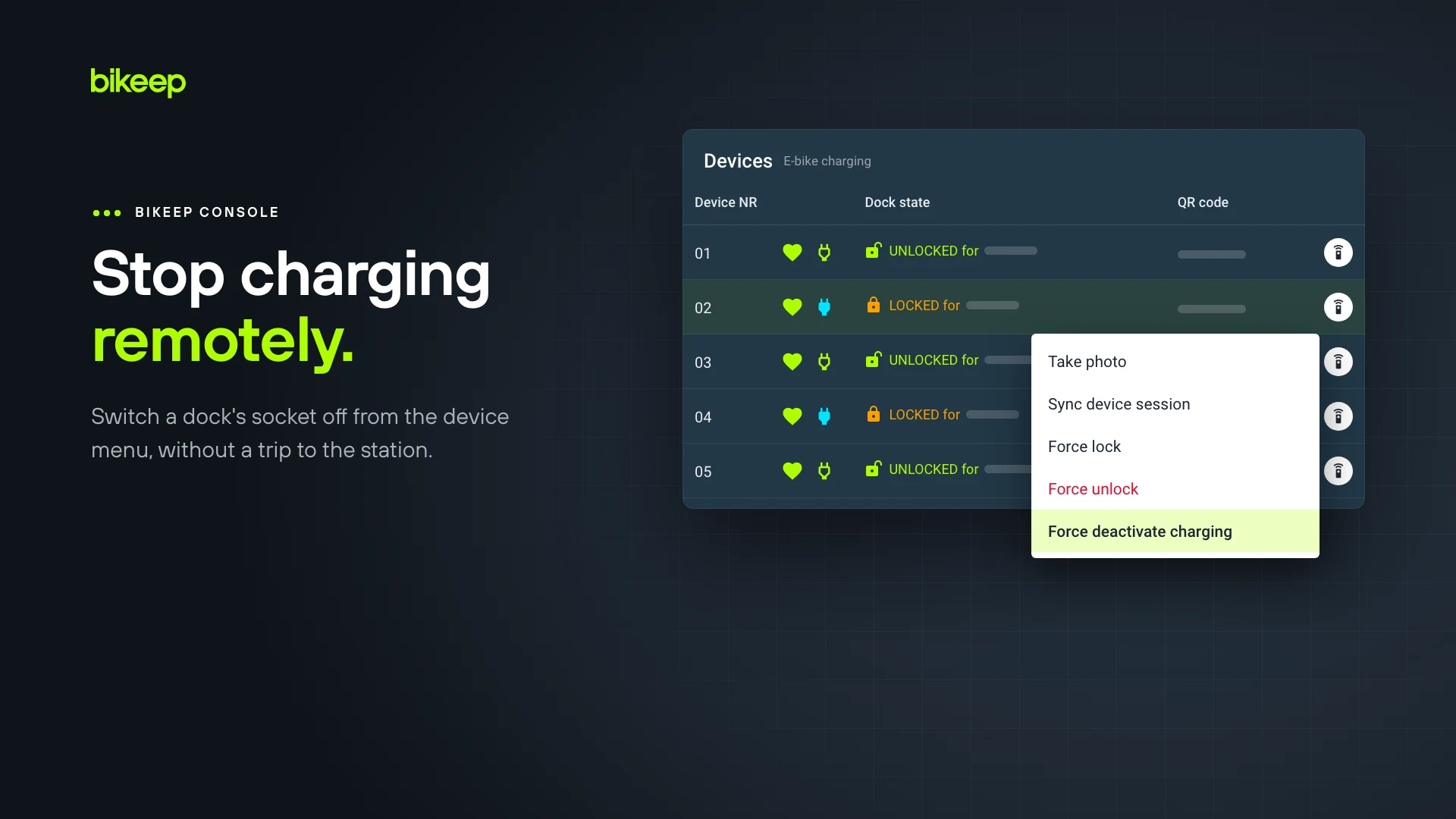
Remote stop
Force deactivate charging in the device menu switches a socket off without a site visit.
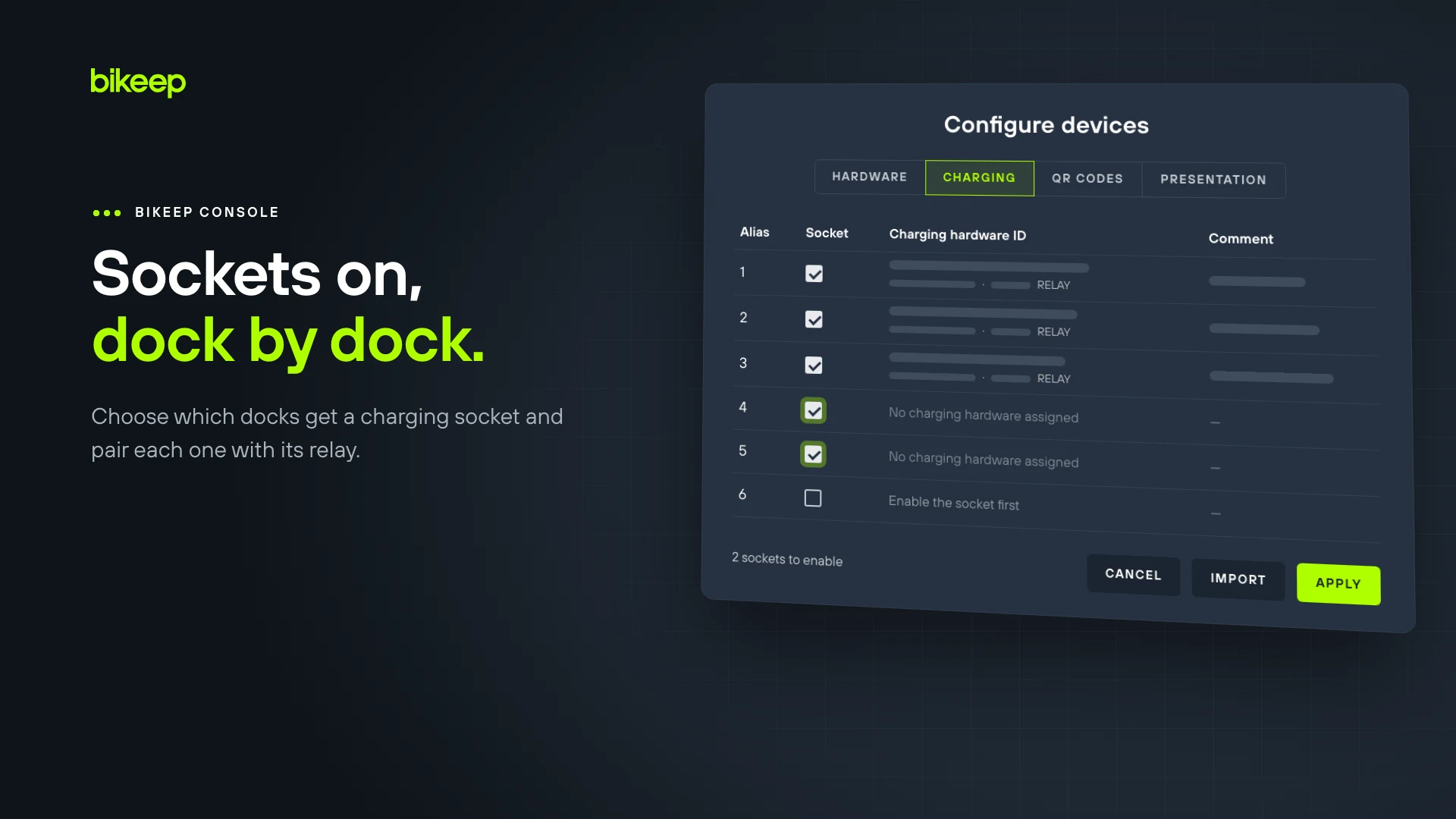
Enabled dock by dock
A Socket checkbox per dock in the Charging tab sets which docks offer app-activated charging.
Works with Bikeep charging stations
The add-on is specified per station and switched on dock by dock, on any mains-powered smart e-bike charging station from Bikeep.
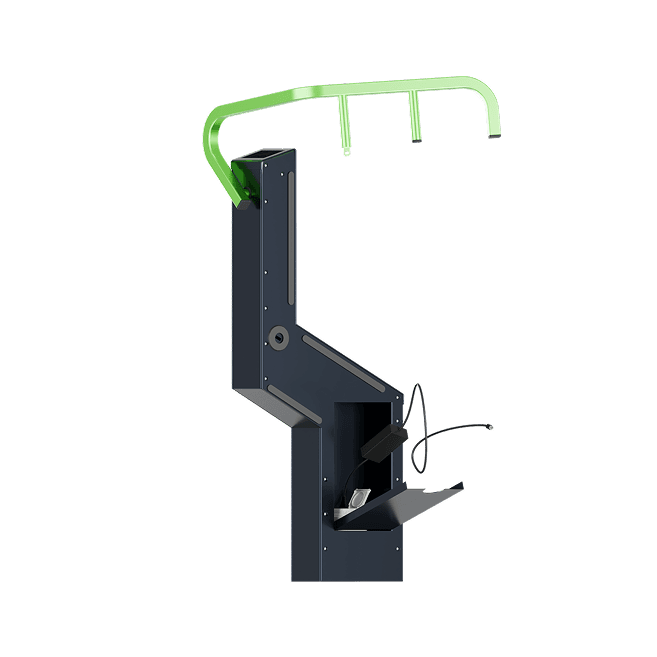
Bike Parking & Charging Station
E-bike charging docks that lock the bike and the charger together.
See the e-bike charging station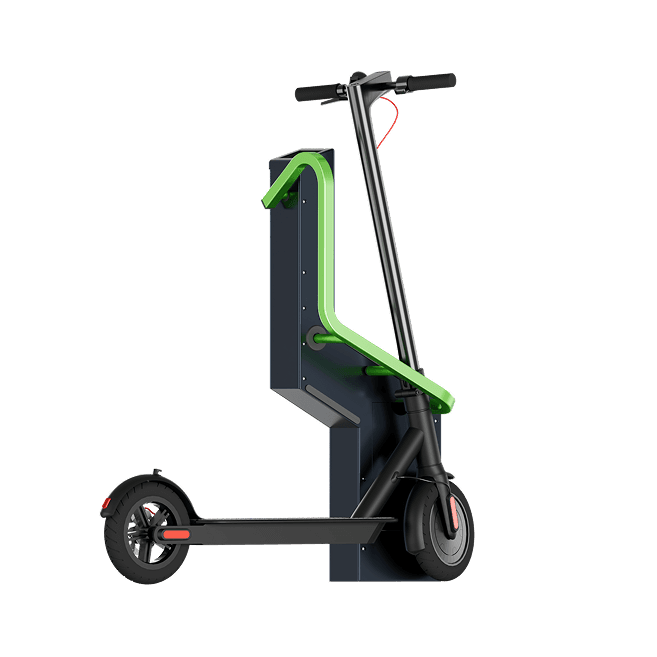
Scooter Parking & Charging Station
E-scooter docks with a charging socket for the rider's own charger.
See the e-scooter charging stationWhat it needs
- A mains-powered Smart Station with charging docks. The add-on is not available for battery-powered stations.
- The station's own Bikeep connectivity, which every Smart Station already includes.
- Riders bring their own charger.
- Order it with a new station under product code VA0001. Ask us about retrofitting an existing station.